 Name and Help Editor (Panel Edit)
The Name and Help Editor dialog provides a single location where the Name and Help parameters for each control.
The dialog allows you to modify the name and help parameters. More importantly, the window offers search and replace options so it is easy replace a short form with full text or the reverse.
Directions:
To open the Name and Help Editor:
| 1. | Choose Editor/Panel Edit to place the Editor in Panel Edit mode |
| 2. | Right click and choose Name and Help Editor from the popup menu |
| 3. | Make the desired changes |
| 4. | Press the OK button to accept them |
Name and Help Editor Dialog
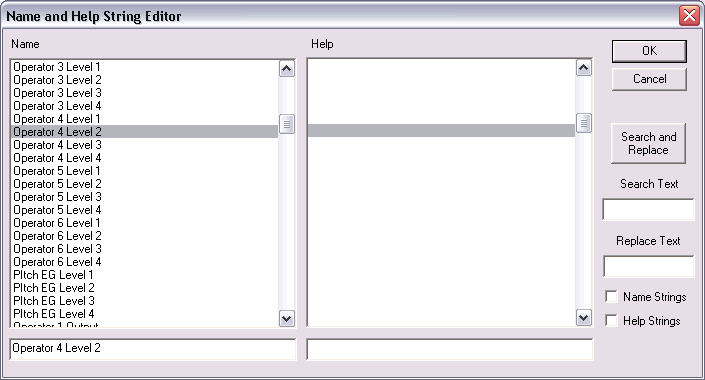
The two lists boxes show the name and help information for each control. To modify a control's name, find the current name and select it. Use the lower text area to modify the name. To modify the help, use the text line under the second column.
On the right is are the Search and Replace controls. Enter the text to search for below Search Text then enter the replacement text below Replace Text. Check Name Strings to perform the search and replace on the name text. Check Help Strings to perform the search and replace on the help strings. Press the Search and Replace button to perform the search and replace.
Key Equivalent:
Shift+Ctrl+N
See Also: Panel Edit Menus
See Also: Panel Edit