 Control To Top (Panel Edit)
This function displays a list of all of the controls in the editor. Selecting a control will push that control on top of all others. This is extremely useful if the control is hidden below other controls.
Directions:
To move a control on top of all others:
| 1. | Choose Editor/Panel Edit to place the Editor in Panel Edit mode |
| 2. | Right click and choose Editor Fns/Control to Top from the popup menu |
| 3. | Select an item and press the OK button to bring that item in front of all others |
The Control To Top Dialog
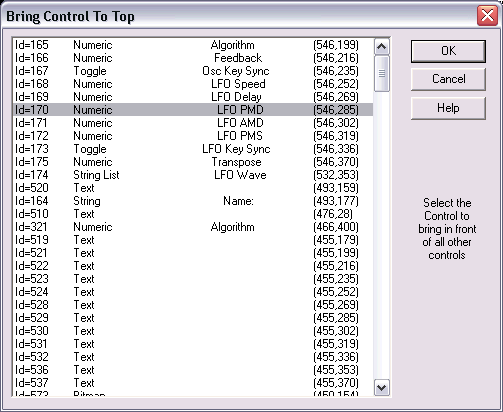
The dialog lists each of the controls by number, type, name, and position. Select the control to bring to the front and press the ok button.
See Also: Panel Edit Menus
See Also: Panel Edit